
Inventory and billing software for your business.
Track purchases, stock, sales, returns and expenses. See what's available, who still owes you, and what your shop actually earned.
- Serial number & IMEI tracking
- Printable bills and PDFs
- Partial payments & balances
- Clear profit and cash balances
Everything in one workspace
Nine things a shop runs on, in one app.
Products & inventory
Group products by type with size, colour, material or model. Count stock by quantity, or record a serial number or IMEI for each unit.
Purchases & receiving
Record supplier purchases with quantities, costs and payments. Receive partial deliveries later. Each batch keeps its own cost.
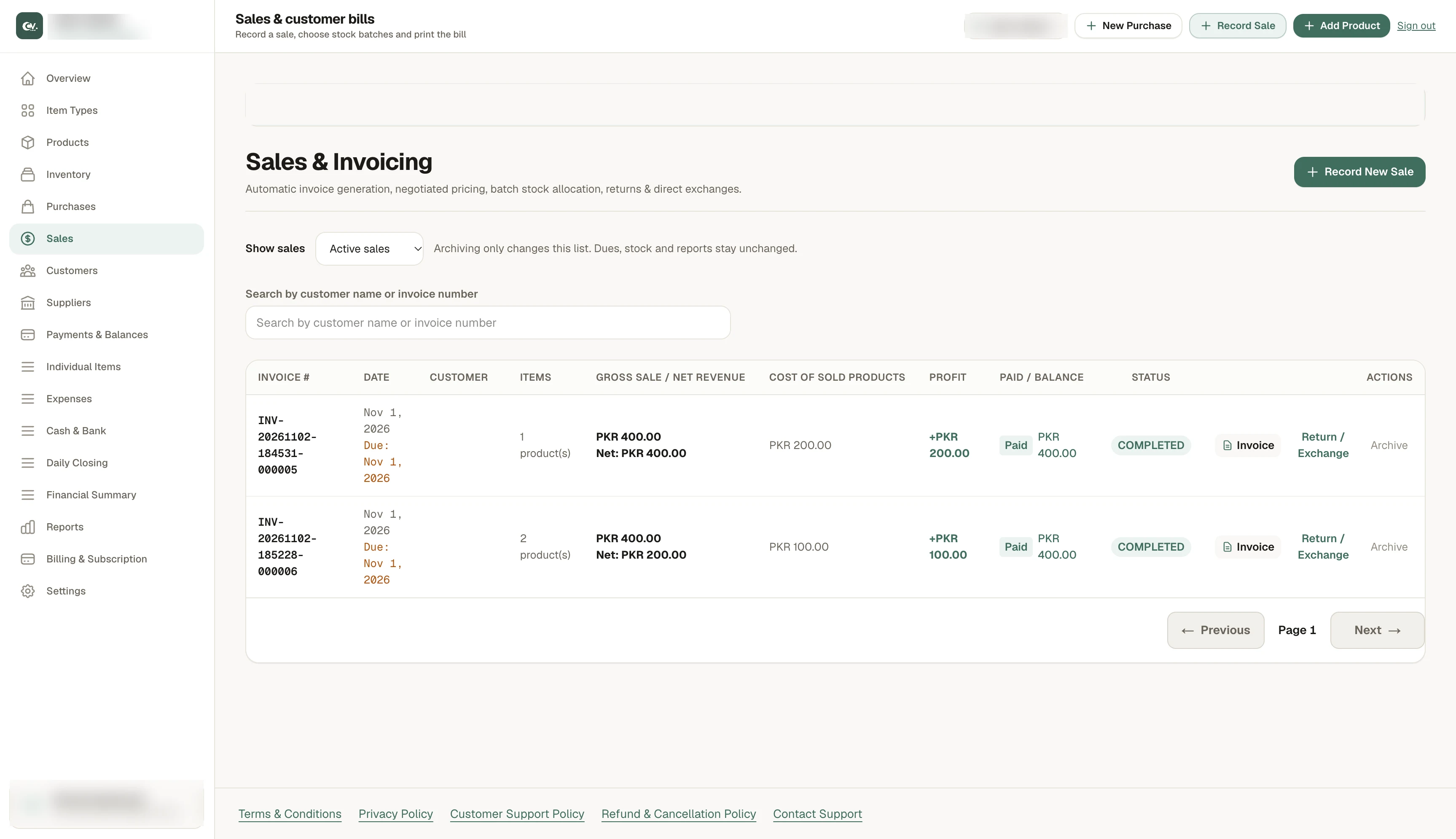
Sales & customer bills
Pick products and the specific unit, record what was paid, and track any balance. Print the bill or save it as a PDF.
Customers & suppliers
Keep contact details beside each transaction history. See who owes you and what you owe each supplier.
Returns & exchanges
Record what came back, whether it returns to sellable stock, and how much was refunded. Stock and money stay in step.
Expenses & repairs
Log rent, delivery and repairs. Link a cost to one item, and track supplier warranty reimbursements, including partial ones.
Cash & bank
Follow money in and out of cash and bank accounts. Close each day and compare the recorded balance with cash on hand.
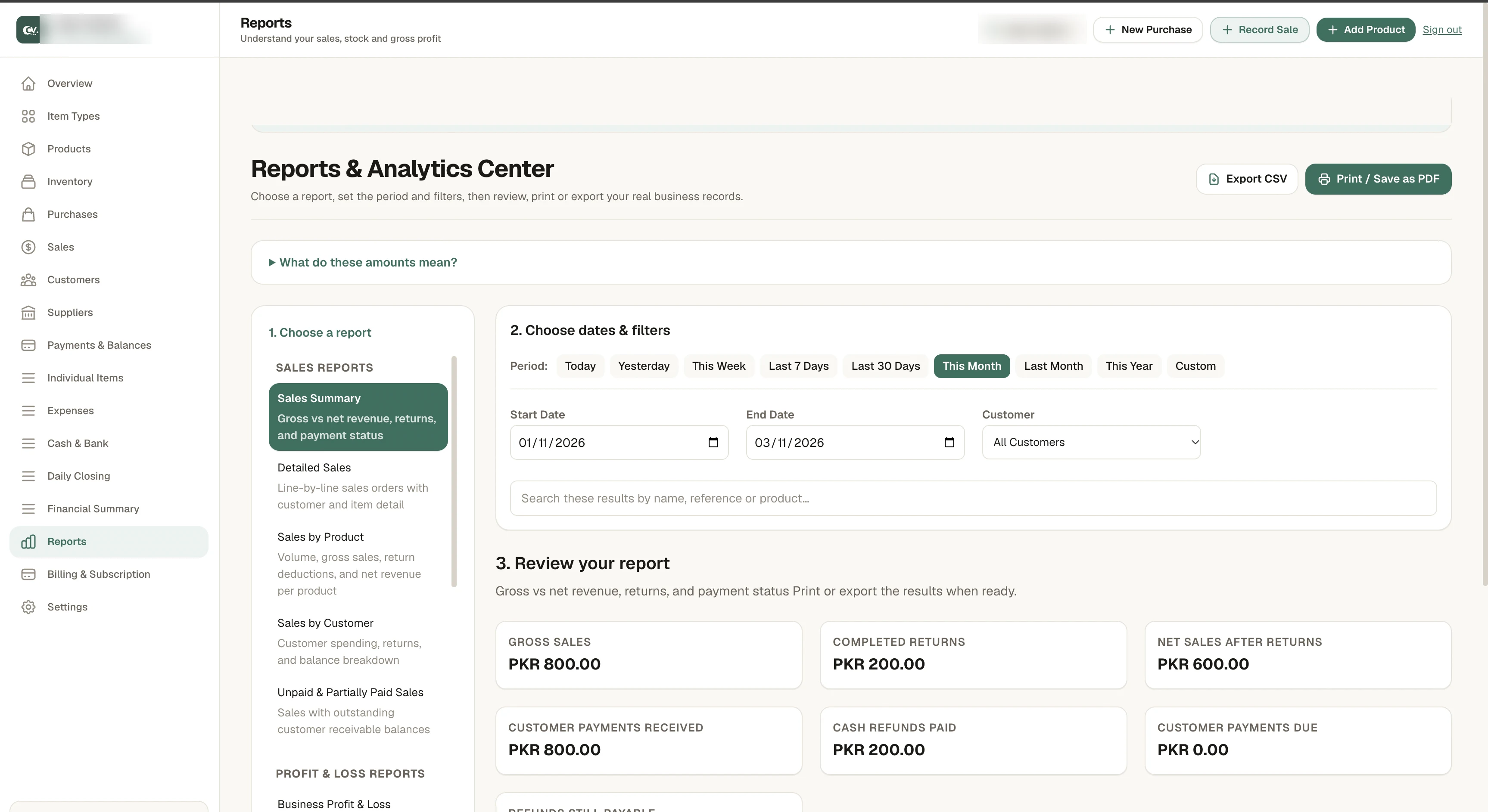
Sales & profit reports
Review sales, product performance and business finances by date range. Sales, money collected and profit are shown separately.
A private workspace
Verify your email, set up your business, and sign back in to the same workspace with its own products, customers and reports.
How it works
From supplier purchase to customer bill.
Step 1
Stock goes up, and you see what you owe the supplier.
Sales & customer bills
Record the sale. Keep the bill and the balance together.
Choose products and quantities, pick the specific unit for each serial-number or IMEI item, and record what the customer paid. Any balance stays on the customer's account until it is settled.
Each sale gives you a bill to preview and print, or to download as a PDF. Returns and exchanges are recorded against the original sale, so stock and balances stay correct.
WhatsApp sharing is optional. With the CashVol browser extension, the PDF attaches in your own WhatsApp Web account. You review the message and press Send yourself.
Cash, balances & reports
Sales, cash collected and profit are separate numbers.
Track money through cash and bank accounts, close each day against the cash on hand, and open reports for any period.
Profit depends on what the goods cost you, plus any expenses or adjustments. It is not the same as what the customer paid.
Example
A customer buys goods for PKR 10,000 and pays PKR 6,000 today.
Who it's for
Built for the shop counter.
Clothing and accessories
Organize products by size, colour and style, and see what remains after each sale.
Hardware and home goods
Track purchases at different costs and keep supplier payments and balances in view.
Stationery and general retail
Count everyday goods by quantity and issue clear bills for each sale.
FAQ
Questions shopkeepers ask.
Yes. Count products such as notebooks by quantity, and use a serial number or IMEI for products you need to track individually. Both methods can be used in the same workspace.
Yes. Every sale gives you a bill you can preview, print at the counter, or download as a PDF.
It is optional. With the CashVol browser extension, the bill opens in your own WhatsApp Web account. You review the message and press Send yourself. CashVol never sends it automatically.
Yes. Customer returns and exchanges are recorded against the original sale, so the sale, the stock change and the refund or balance stay connected.
Create an account, verify your email, set up your business, add your item types and products, record a supplier purchase to receive stock, then make your first sale.
Run your shop from one place.
Stock, bills, balances and reports, ready when you open the shutter.